Latching Bulk Listings from Existing Amazon Catalog
Matching to Existing Bulk Listing
If you want to add multiple products that are part of an existing catalog (already sold on Amazon), you will need to do the following:
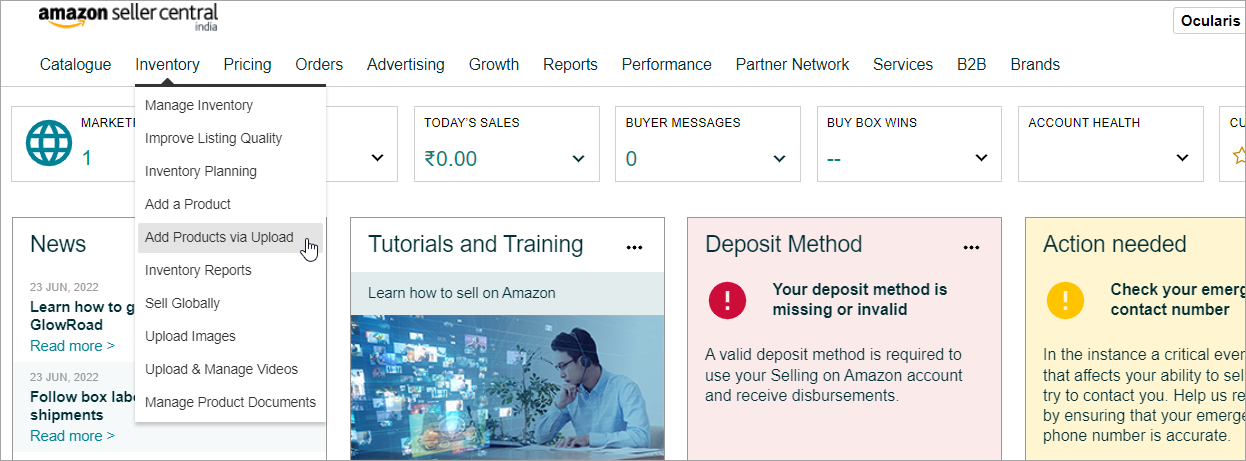
- Navigate to Inventory > Add Products via Upload.
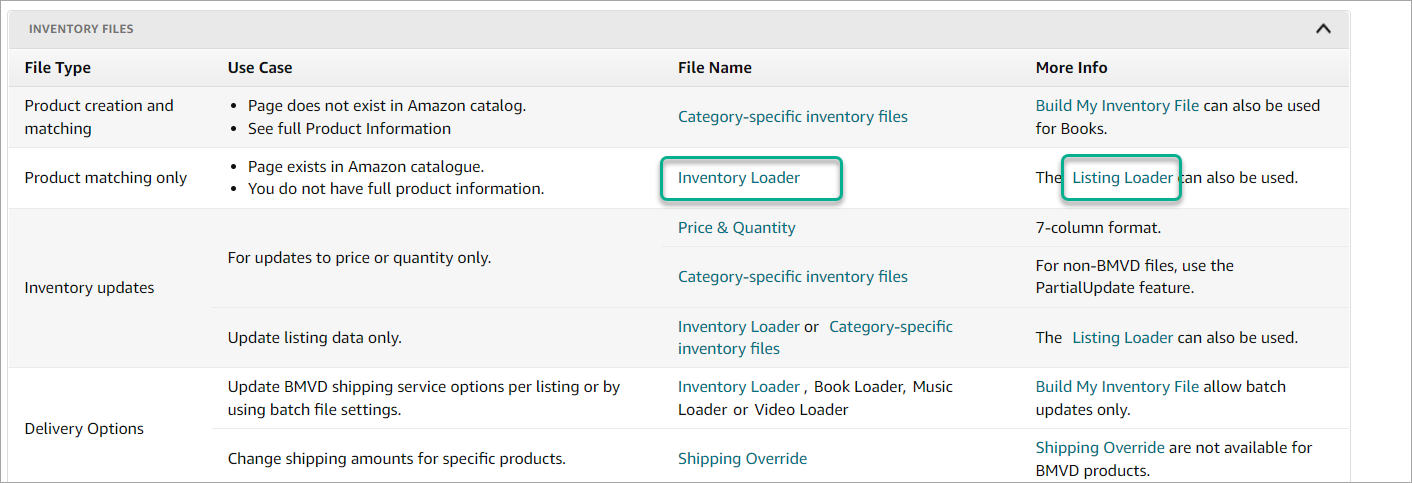
- Scroll down to the bottom of the page and click on Listing Loader or Inventory Loader under Inventory Files to download the spreadsheet.
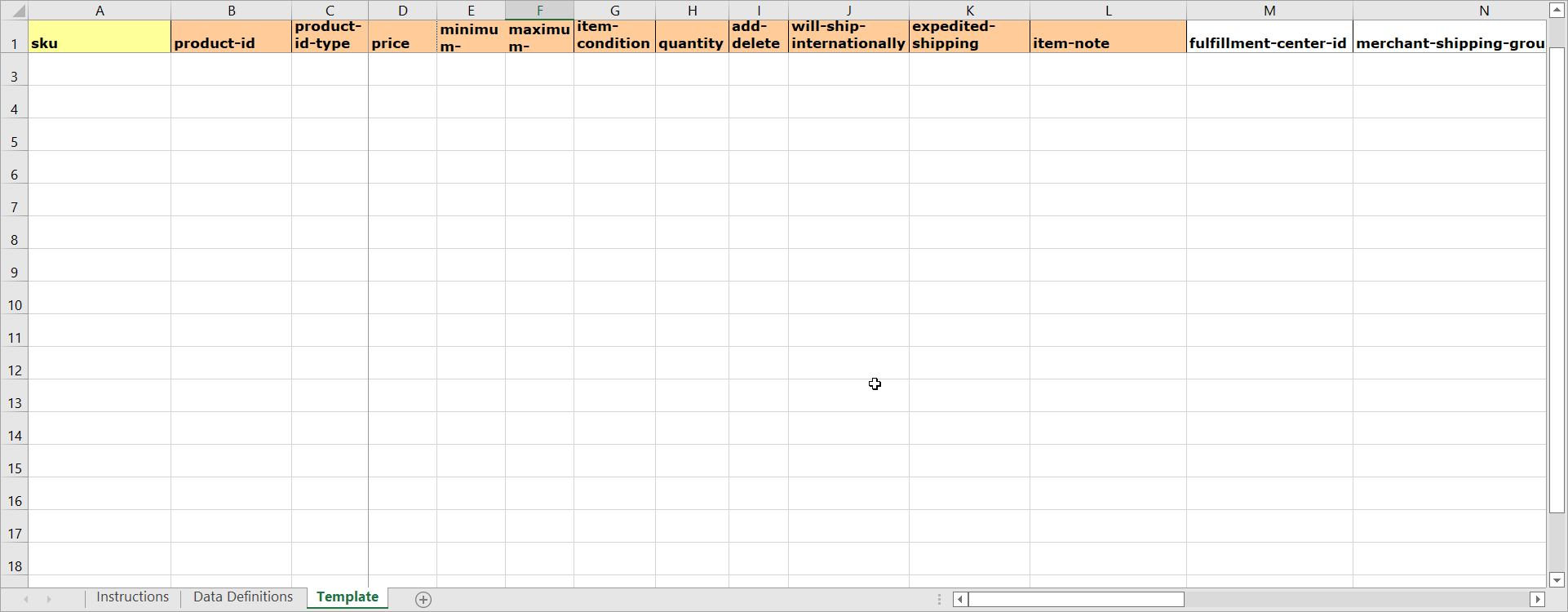
- Using the spreadsheet, you can add 100's of listings that are already on Amazon.
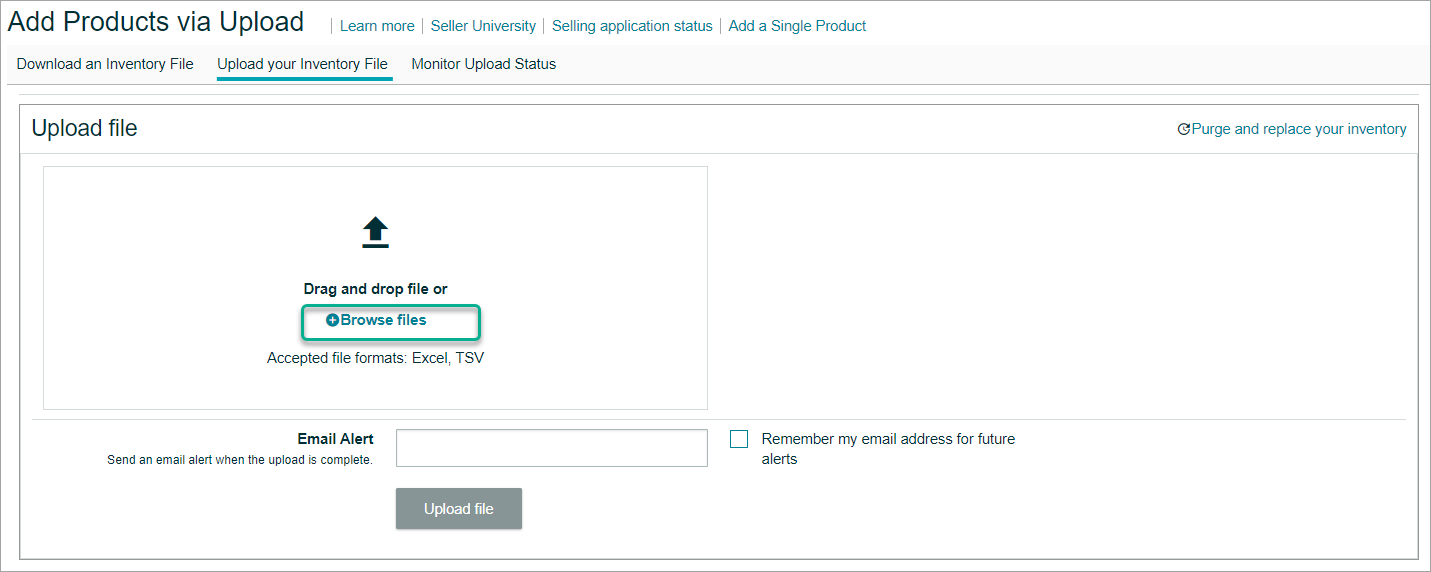
- Go to the Upload your Inventory page and upload the template.
- The listings will now be in Quality check and will be live once complete.