Coupon Archival & Lifecycle
Introduction
Coupons on the Fynd Platform follow an automatic lifecycle that moves expired or inactive coupons through archival and eventually permanent deletion. This keeps the active coupon list clean and manageable while preserving historical data for reference.
Archival is fully automatic — no manual action is required. Archived coupons can still be viewed and restored if needed.
Coupon Lifecycle Stages
  ┌────────┐     ┌────────┐     ┌──────────┐
  │  DRAFT │────▶│ REVIEW │────▶│ APPROVED │
  └────────┘     └────────┘     └──────────┘
       │              │               │
       │              │               │ (expires)
       │              │               ▼
       │              │          ┌──────────┐
       │              ├─────────▶│ REJECTED │
       │              │          └──────────┘
       │              │               │
       │   (30 days)  │  (30 days)    │ (30 days)
       ▼              ▼               ▼
  ┌──────────────────────────────────────┐
  │            ARCHIVED                   │
  └──────────────────────────────────────┘
                    │
                    │ (1 year)
                    ▼
  ┌──────────────────────────────────────┐
  │       EXPORTED & DELETED              │
  └──────────────────────────────────────┘
Archival Rules
Coupons are automatically archived based on their status:
Approved Coupons (Expired)
- Condition: The coupon's scheduled end date is more than 1 day in the past.
- Trigger: Automatic background job runs periodically.
- What happens: The coupon is moved from the active collection to the archived collection.
Draft, Review, and Rejected Coupons (Stale)
- Condition: The coupon was last modified more than 30 days ago.
- Trigger: Same automatic background job.
- What happens: The coupon is moved to the archived collection.
| Status | Archival Trigger | Threshold |
|---|---|---|
| Approved | End date has passed | 1 day after expiry |
| Draft | Last modified date | 30 days of inactivity |
| Review | Last modified date | 30 days of inactivity |
| Rejected | Last modified date | 30 days of inactivity |
What Happens During Archival
When a coupon is archived:
- Data is preserved — The full coupon document is moved to the archived collection. No data is lost.
- Promo keys are cleared — Any cached promotion-item mapping keys are removed to free up cache resources.
- Coupon count is updated — The cached coupon count for the application is decremented to reflect the removal from the active list.
- The coupon is removed from the active listing — It no longer appears in the default coupon list.
Archival does not delete the coupon. It moves it to a separate archived storage where it can still be viewed and restored.
Viewing Archived Coupons
You can view archived coupons by filtering the coupon list:
-
In the platform sidebar, expand your sales channel under SALES CHANNEL, click Marketing, then click Offers. Select the Coupons tab.
-
Use the Status filter and select Archived to view all archived coupons.
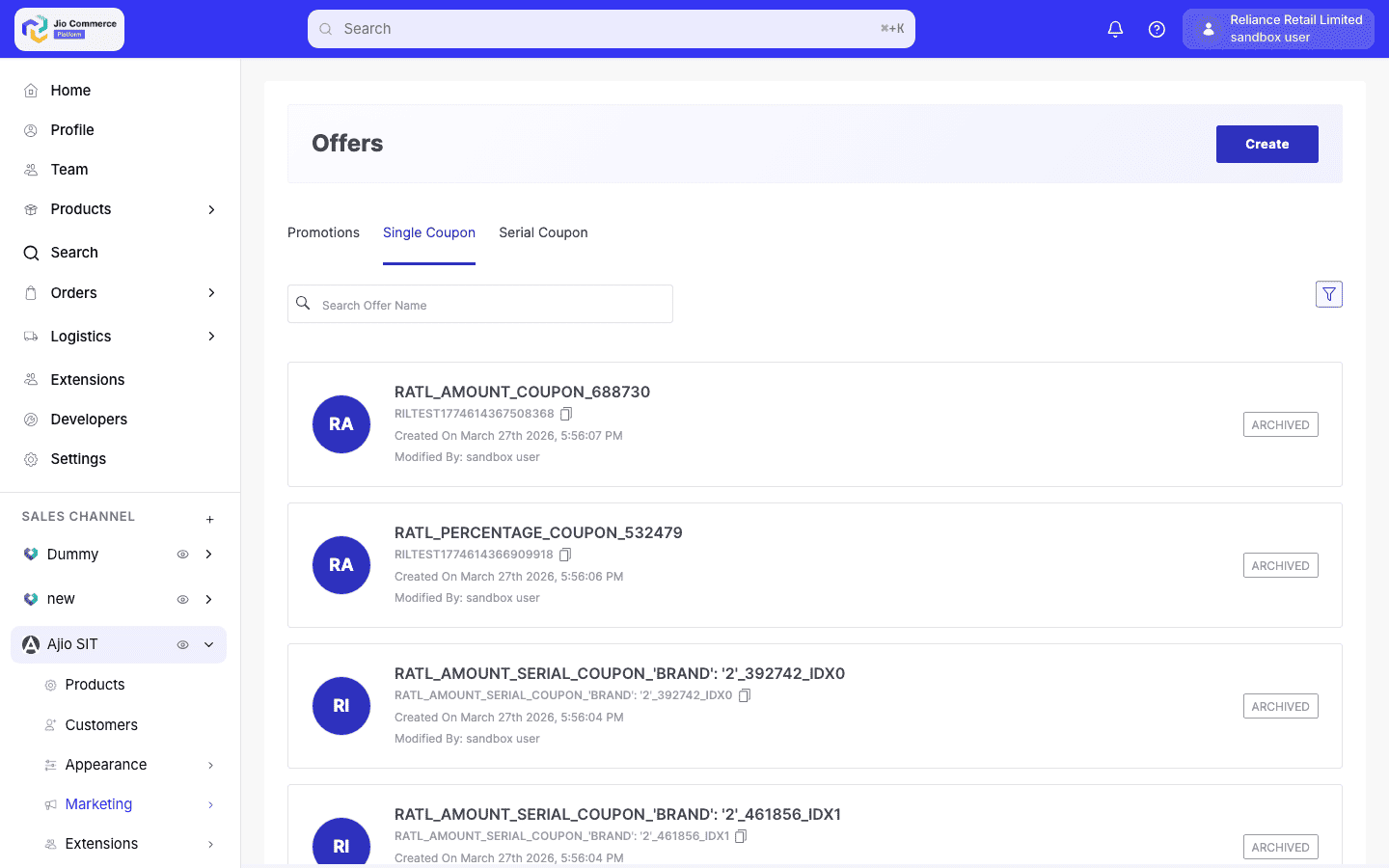
Archived coupons are displayed with an Archived badge and are read-only in the listing view.
Restoring an Archived Coupon
An archived coupon can be restored to active status by recreating it with the same identifier. When the system detects a matching archived record:
- The coupon is moved back from the archived collection to the active collection.
- The coupon count cache is updated.
- The coupon is available again in the active listing.
Restoration creates the coupon in its previous state. You will need to update the schedule (start and end dates) to make it active again, since the original dates will have passed.
Permanent Deletion
Coupons that have been in the archived state for more than 1 year are permanently deleted:
- The archived coupon data is exported to an encrypted, compressed file.
- The export file is uploaded to secure cloud storage for long-term backup.
- Only after successful upload, the coupon is deleted from the archived collection.
- If the upload fails, the coupon remains in the archived collection to prevent data loss.
Once permanently deleted, a coupon cannot be restored from the platform. The data is only available in cloud backup exports.
Summary
| Stage | Duration | Data Status | User Access |
|---|---|---|---|
| Active | While valid | In active collection | Full CRUD |
| Archived | Up to 1 year | In archived collection | View and restore |
| Deleted | After 1 year in archive | Exported to cloud storage | Not accessible from platform |