Discount Calculation Basis (MRP vs ESP) — Promotions
Introduction
The Calculate On setting in promotions determines whether the discount is computed on the product's MRP (Maximum Retail Price / original listed price) or ESP (Effective Selling Price / current selling price after existing discounts).
This setting affects how the discount amount is derived and is primarily used with Contract Pricing and Ladder Pricing promotions, where the price basis can significantly impact the final price.
How it works
MRP (Maximum Retail Price)
The discount is calculated on the product's original listed price (price_marked), ignoring any existing store discounts or markdowns. The system uses this as the base for computing the final discounted price.
ESP (Effective Selling Price)
The discount is calculated on the product's current selling price (price_effective), after all existing discounts have been applied. This is the default behaviour for most promotion types.
Formula Comparison
Here
Price Marked (PM) is the product's MRP. Price Effective (PE) is the product's current selling price. Discount Percentage (D) is the promotion discount.
Example
A product has MRP Rs. 2000 and is currently selling at Rs. 1600 (20% store markdown). A contract pricing promotion offers 15% off.
Formula — MRP basis
Discount = PM × D / 100
Formula — ESP basis
Discount = PE × D / 100
In this example
PM = 2000 PE = 1600 D = 15%
Therefore
| Basis | Calculation | Discount | Customer Pays |
|---|---|---|---|
| MRP | 2000 × 15 / 100 | Rs. 300 | Rs. 1300 |
| ESP | 1600 × 15 / 100 | Rs. 240 | Rs. 1360 |
===========================
===========================
Applicable Promotion Types
| Promotion Type | Default | Can Change? |
|---|---|---|
| Contract Pricing | MRP | Yes — can set to ESP |
| Ladder Pricing | MRP | Yes — can set to ESP |
| All other types | ESP | No — always uses ESP |
For promotion types other than Contract Pricing and Ladder Pricing (e.g., percentage, amount, BOGO, bundle, etc.), the system always uses the Effective Selling Price regardless of the Calculate On setting.
When to Use Each
-
MRP — Use for contract or negotiated pricing where the discount is guaranteed from the original retail price. Common in B2B contracts, wholesale partnerships, and exclusive brand agreements where the seller commits to a fixed discount from MRP regardless of ongoing sales.
-
ESP — Use for standard retail promotions where the discount should reflect the current selling price. Customers see their savings based on what they would actually pay without the promotion.
Configuring Calculate On
- Create a Contract Pricing or Ladder Pricing promotion.
- In the promotion configuration form, locate the Calculate On field.
- Select MRP or ESP.
- Complete the remaining fields (buy rules, discount rules, restrictions, schedule) and save.
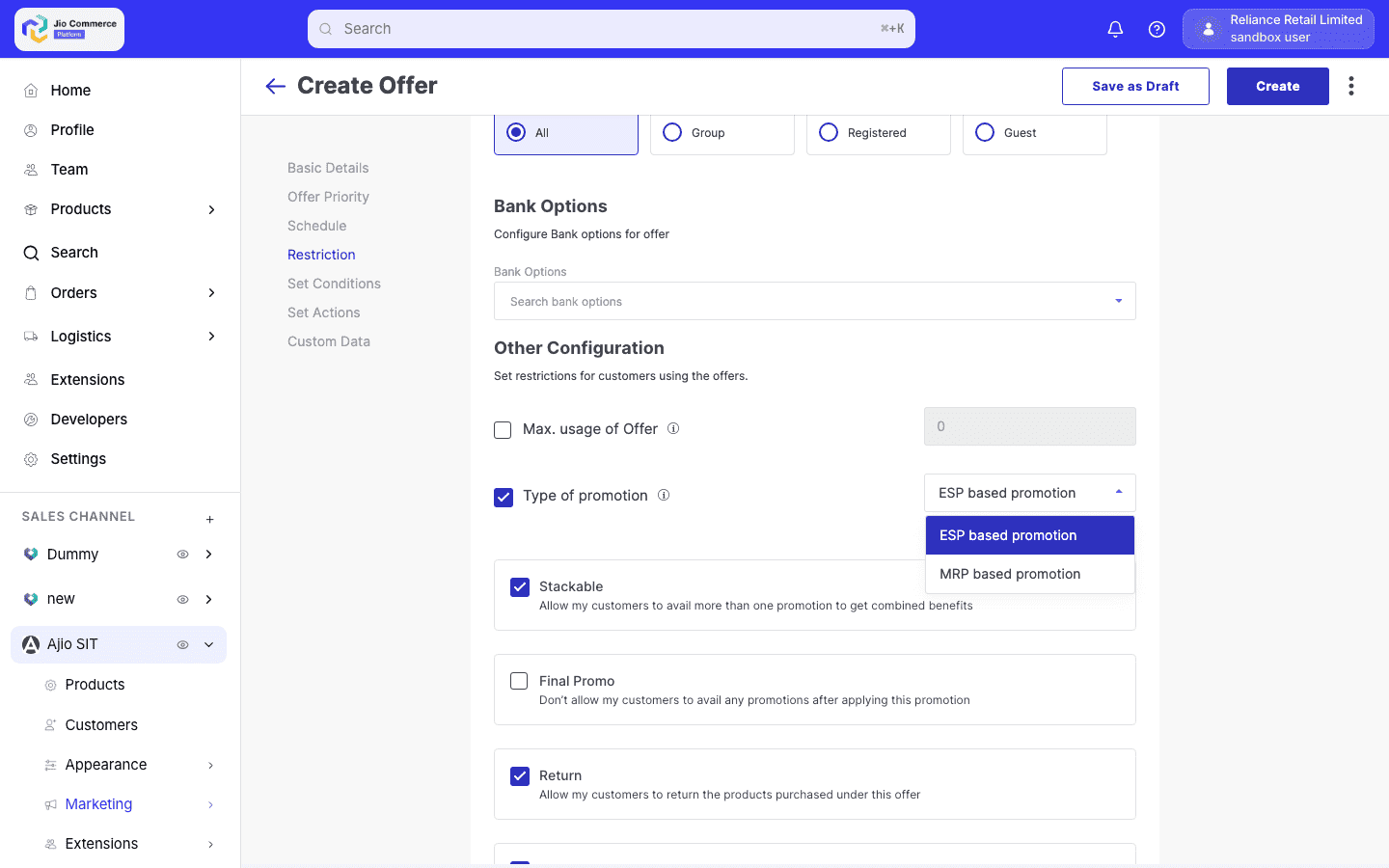
MRP-based and ESP-based promotions cannot be applied to the same item simultaneously. The system separates items into distinct groups to prevent mixed calculation bases on a single product.
Use Case: Ladder Pricing with MRP Basis
A seller creates a volume discount promotion:
- Promotion type: Ladder Pricing
- Calculate On: MRP
- Tiers:
- Buy 5+ items at MRP Rs. 500 each → 10% off per item
- Buy 10+ items at MRP Rs. 500 each → 20% off per item
Even if the items are currently on sale at Rs. 400 (ESP), the ladder discount is computed on the Rs. 500 MRP:
- 5 items: 10% × 500 = Rs. 50 off per item → Customer pays Rs. 350 per item
- 10 items: 20% × 500 = Rs. 100 off per item → Customer pays Rs. 300 per item