Cashback Coupon
Introduction
Cashback coupons allow sellers to offer a deferred reward on qualifying orders. Unlike regular discount coupons that reduce the cart total at checkout, a cashback coupon credits a specified amount to the customer's account after the order is placed. The customer pays the full order amount upfront and receives the cashback post-checkout.
This makes cashback coupons ideal for encouraging repeat purchases, driving higher order values, and running bank or payment partner promotions where the reward is fulfilled after the transaction.
How this coupon works
There are two cashback coupon types:
Cashback — Fixed Amount
Here
Cashback Amount (CA) is the fixed cashback the customer receives after order placement. Maximum Discount Amount (MD) is the optional cap on the cashback (set to 0 for no cap).
Example
A seller creates a coupon "CASHBACK50" that gives a flat Rs. 50 cashback on any order above Rs. 500.
Formula
Cashback = CA
Where
CA = Cashback amount configured in the coupon
In this example
CA = 50
Therefore
Customer pays Rs. 500 and receives Rs. 50 cashback post-order.
===========================
Cashback — Percentage
Here
Cart Value (CV) is the total value of eligible items in the cart. Discount Percentage (D) is the cashback percentage. Maximum Discount Amount (MD) is the cap on the cashback amount.
Example
A seller creates a coupon "CASHBACK10" that gives 10% cashback up to a maximum of Rs. 200.
Formula
Cashback = Min(MD, (CV × D / 100))
Where
CV = Cart value D = Cashback percentage MD = Maximum cashback limit
In this example
CV = 1500 D = 10% MD = 200
Therefore
Min(200, (1500 × 10 / 100)) = Min(200, 150) = 150
===========================
Key Behavior
Cashback coupons do not reduce the cart total. The customer pays the full amount. The cashback is credited after order fulfilment.
- Cart display — When a cashback coupon is applied, it appears in the coupon breakup section with a value of Rs. 0. This is expected behaviour — the cashback is processed after the order, not at checkout.
- Multiple coupons — Cashback coupons follow the same stacking and exclusivity rules as regular coupons. They can coexist with regular discount promotions — the customer gets the instant discount plus the deferred cashback.
- Recalculation — The cashback amount is recalculated every time the cart changes (items added, removed, or quantity updated). The final cashback is determined at checkout.
Creating a Cashback Coupon
- In the platform sidebar, expand your sales channel under SALES CHANNEL, click Marketing, then click Offers. Select the Coupons tab.
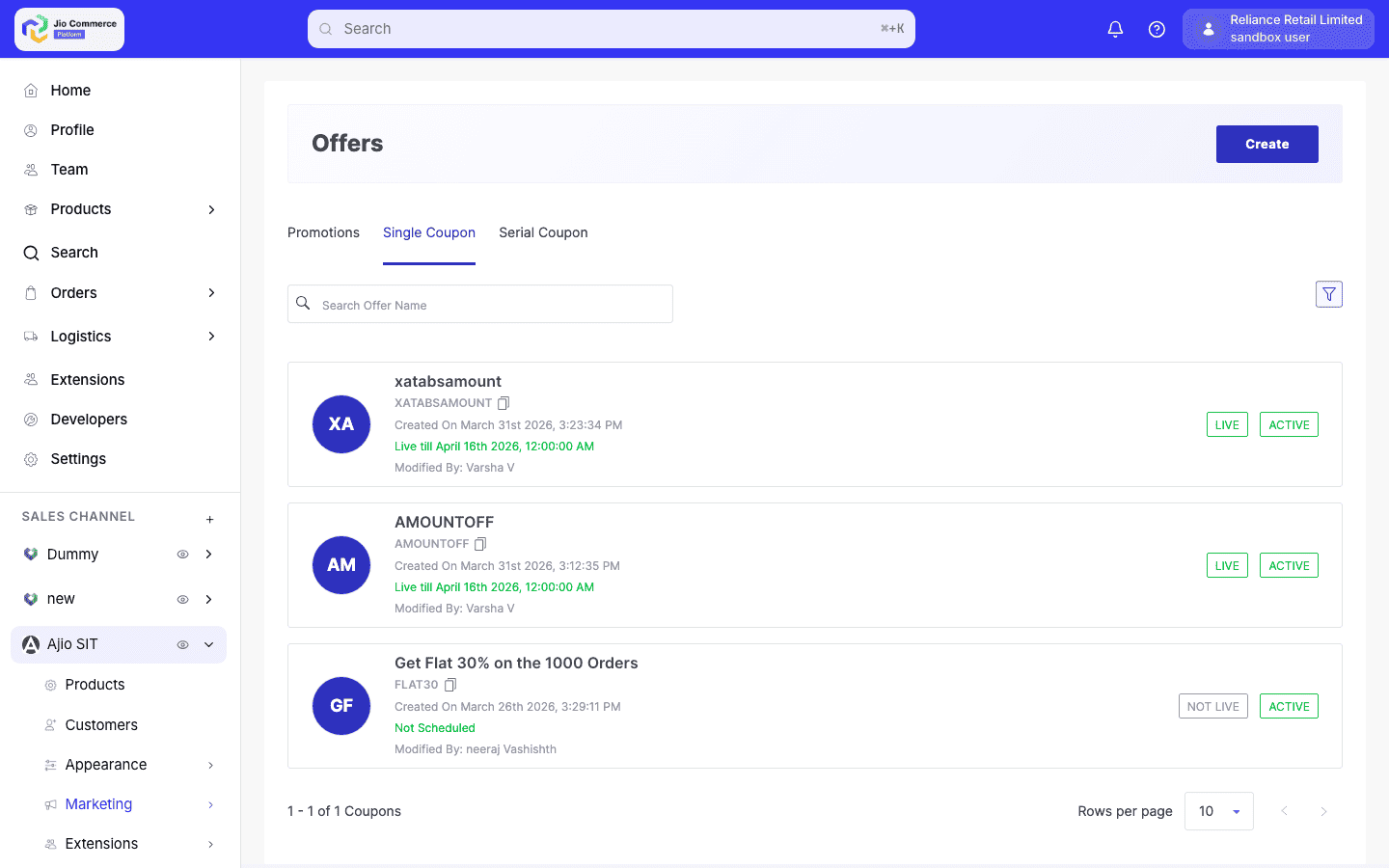
- Click Create. Select the coupon type Cashback Amount or Cashback Percentage from the dropdown.
-
Fill in the required fields:
- Coupon Code — A unique alphanumeric code customers will enter (e.g.,
CASHBACK50). Automatically converted to lowercase. - Display Name — The name shown to customers (e.g., "Flat Rs. 50 Cashback").
- Description — A brief description of the offer.
- Offer Text — Short text displayed on the storefront (e.g., "Get Rs. 50 cashback on orders above Rs. 500").
- Coupon Code — A unique alphanumeric code customers will enter (e.g.,
-
Configure the discount offer:
- Discount Amount (for fixed cashback) — The exact cashback amount.
- Discount Percentage (for percentage cashback) — The cashback percentage.
- Maximum Discount Amount — Cap on the cashback. Set to 0 for no cap.
-
Set Restrictions as needed:
- Minimum Cart Value — Minimum order value to qualify.
- Usage Limits — Maximum total uses and per-user uses.
- Payment Mode — Restrict to specific payment methods (useful for bank-partnered cashback offers).
-
Configure the Schedule with start and end dates, then set the status to Approved to publish.
Cashback at Checkout
When the customer places an order with an active cashback coupon:
- The coupon code is validated against all restrictions (cart value, user eligibility, payment mode).
- The cashback amount is calculated but not deducted from the order total.
- The cashback metadata is sent to the order/payment system for post-order processing.
- After the order is fulfilled, the cashback amount is credited to the customer's account.
If a cashback coupon has payment mode restrictions (e.g., "HDFC cards only"), the customer must select the matching payment method. If the payment method is changed to a non-qualifying one, the cashback coupon is automatically removed.