Cashback Promotion
Introduction
Cashback promotions reward customers with a deferred credit after order fulfilment, without reducing the cart total at checkout. Unlike cashback coupons (which require the customer to enter a code), cashback promotions are automatically applied when the cart meets the configured conditions.
Multiple cashback promotions can apply to a single cart simultaneously, and they can coexist with regular discount promotions — the customer receives both the instant discount and the deferred cashback.
How this promotion works
There are two cashback promotion types:
Cashback Amount (Fixed)
Here
Cashback Amount (CA) is the fixed amount credited post-order.
Example
A promotion gives a flat Rs. 100 cashback on orders containing items from Brand X.
Formula
Cashback = CA
Where
CA = Configured cashback amount
In this example
CA = 100
Therefore
Customer pays the full cart value and receives Rs. 100 cashback after order fulfilment.
===========================
Cashback Percentage
Here
Cart Value (CV) is the total value of eligible items. Discount Percentage (D) is the cashback percentage. Maximum Discount Amount (MD) is the cap on cashback.
Example
A promotion gives 10% cashback up to Rs. 200 on all items from the "Electronics" category.
Formula
Cashback = Min(MD, (CV × D / 100))
Where
CV = Cart value of eligible items D = Cashback percentage MD = Maximum cashback limit
In this example
CV = 3000 D = 10% MD = 200
Therefore
Min(200, (3000 × 10 / 100)) = Min(200, 300) = 200
===========================
Key Behavior
Cashback promotions are completely invisible in the cart breakup. They do not appear in the list of applied promotions, and the cart total remains unchanged. The cashback is processed entirely post-order.
- Auto-application — Cashback promotions are evaluated and applied automatically whenever the cart is recalculated. No coupon code is needed.
- Invisible in cart — Unlike cashback coupons (which show with a value of Rs. 0), cashback promotions do not appear in the applied promotions list or the cart breakup at all.
- Multiple cashback promotions — More than one cashback promotion can apply to the same cart. All qualifying cashback amounts are accumulated and sent to the order system at checkout.
- Stacking with discounts — Cashback promotions can coexist with regular discount promotions. The customer gets the visible discount applied to the cart total, plus the hidden cashback credited post-order.
- Recalculation — Cashback amounts are recalculated from scratch on every cart change. They are stored transiently in memory and are not persisted to the database.
Creating a Cashback Promotion
- In the platform sidebar, expand your sales channel under SALES CHANNEL, click Marketing, then click Offers. Select the Promotions tab.
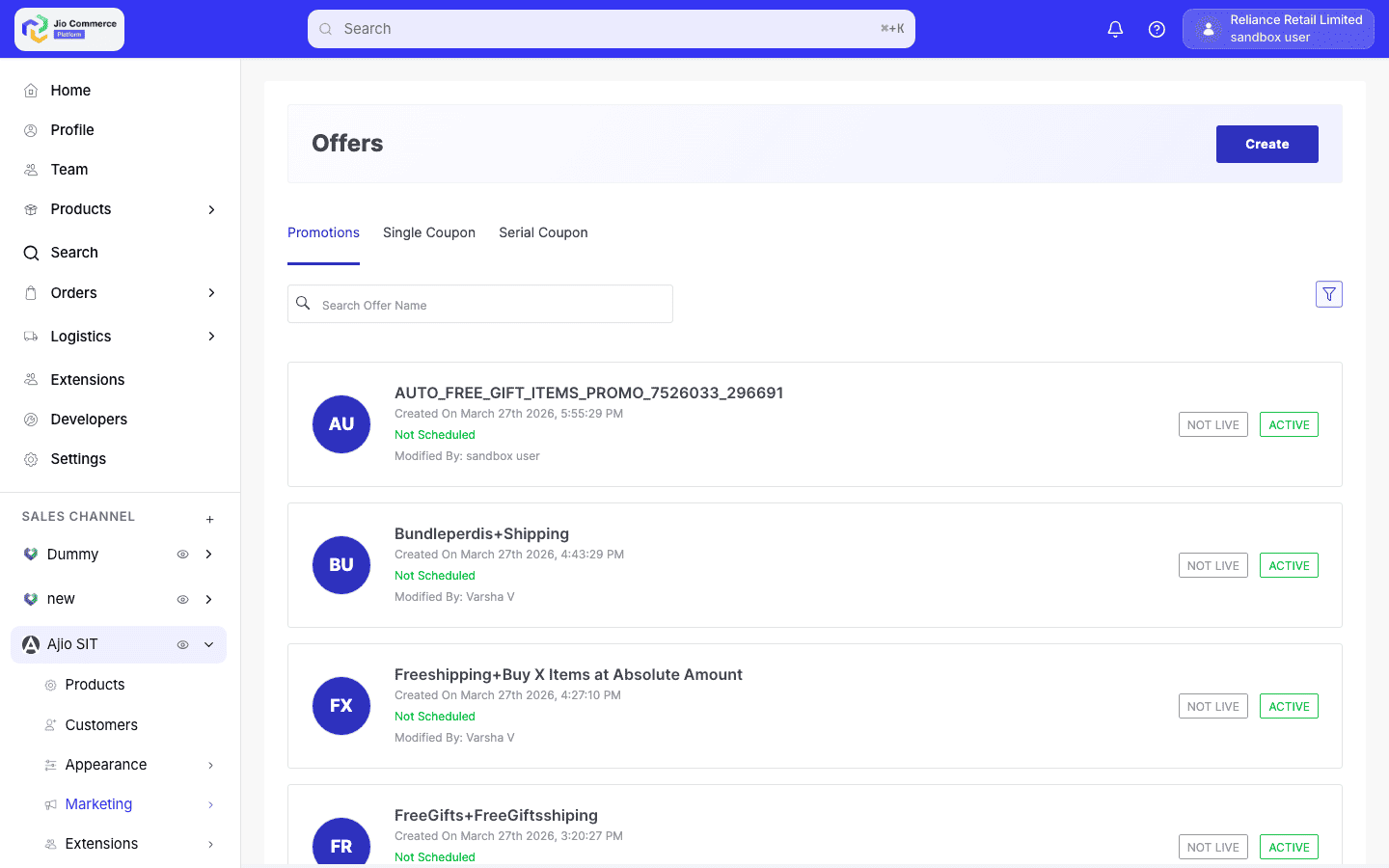
- Click Create. Select Cashback Amount or Cashback Percentage from the promotion type list.
-
Fill in the basic details:
- Promotion Name — Display name (e.g., "10% Cashback on Electronics").
- Description — Detailed description of the offer.
- Offer Text — Short text shown on the storefront.
- Offer Label — Short label for UI badges.
-
Configure the discount rules:
- Discount Amount (for fixed cashback) — The exact cashback amount.
- Discount Percentage (for percentage cashback) — The cashback percentage.
- Maximum Discount Amount — Cap on the cashback. Set to 0 for no cap.
-
Set Buy Rules to define which items trigger the cashback:
- All Items — Apply to any purchase.
- Specific Brands/Categories/Departments — Restrict to specific product criteria.
- Cart Quantity/Total — Minimum quantity or cart value thresholds.
-
Set Restrictions:
- User Type — All users, new users, or registered users only.
- Usage Limits — Maximum total and per-user limits.
- Payment Mode — Restrict to specific payment methods for bank-partnered cashback.
- Min/Max Cart Value — Cart value thresholds.
-
Configure the Schedule with start and end dates. Set the status to Approved to activate.
Cashback vs Regular Discount — Comparison
| Aspect | Regular Discount Promotion | Cashback Promotion |
|---|---|---|
| Cart total | Reduced by discount amount | Unchanged |
| Visible in cart | Yes, with discount value | No |
| Applied promotions list | Included | Excluded |
| When customer benefits | Immediately at checkout | After order fulfilment |
| Multiple can apply | Subject to stacking rules | Yes, all qualifying cashbacks accumulate |